Brainfy Studio Creator Day 2027Get your digital product ready to sell.
Saturday, February 27, 2027. 10 to 11 a.m. British Columbia Pacific Time. Free and live online.
Bring a template, spreadsheet, printable or guide you’ve already made. We’ll show you how to package it, prepare listing images, write a clear product description and choose a price. You’ll leave with a checklist and a clear next step for joining Brainfy Studio’s founding creator list.
What you’ll learn
Package your product
Name your files clearly, choose supported file types and add a short instruction sheet so a buyer knows what to open first.
Prepare listing images
Make preview images from your real pages, so buyers see exactly what they get.
Write a clear description
Say who the product is for, what the buyer receives and which apps it works with.
Choose a price
Use a simple pricing worksheet to set a price you can explain.
Document usage rights
Check that you own or are licensed to sell everything in the file, and say what buyers may do with it.
Your next step
How the founding creator list works, and what happens when seller applications open.
Agenda
Saturday, February 27, 2027. Times are British Columbia Pacific Time.
- 10.00 to 10.10Who the marketplace is for and what original products fit.
- 10.10 to 10.30Prepare one example listing. Demonstrate a small-business pricing worksheet as an XLSX download with a preview, short instruction sheet and clearly labeled files.
- 10.30 to 10.45Show how to document usage rights, set a price, identify what a buyer receives and prepare for product review. Explain the founding creator list and show the real /sell page.
- 10.45 to 11.00Live Q&A and next steps. Pin the creator-list link in chat.
Live product demonstration
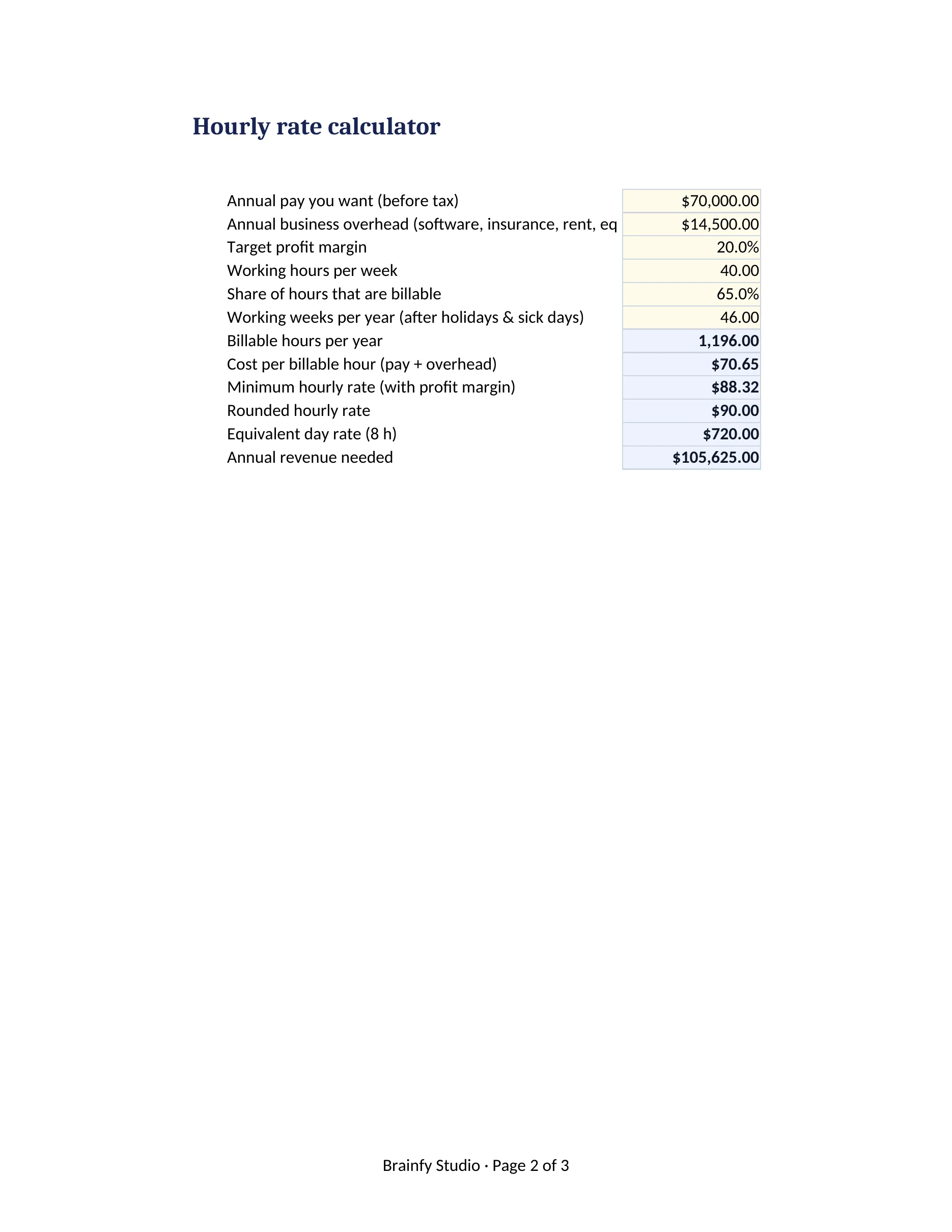
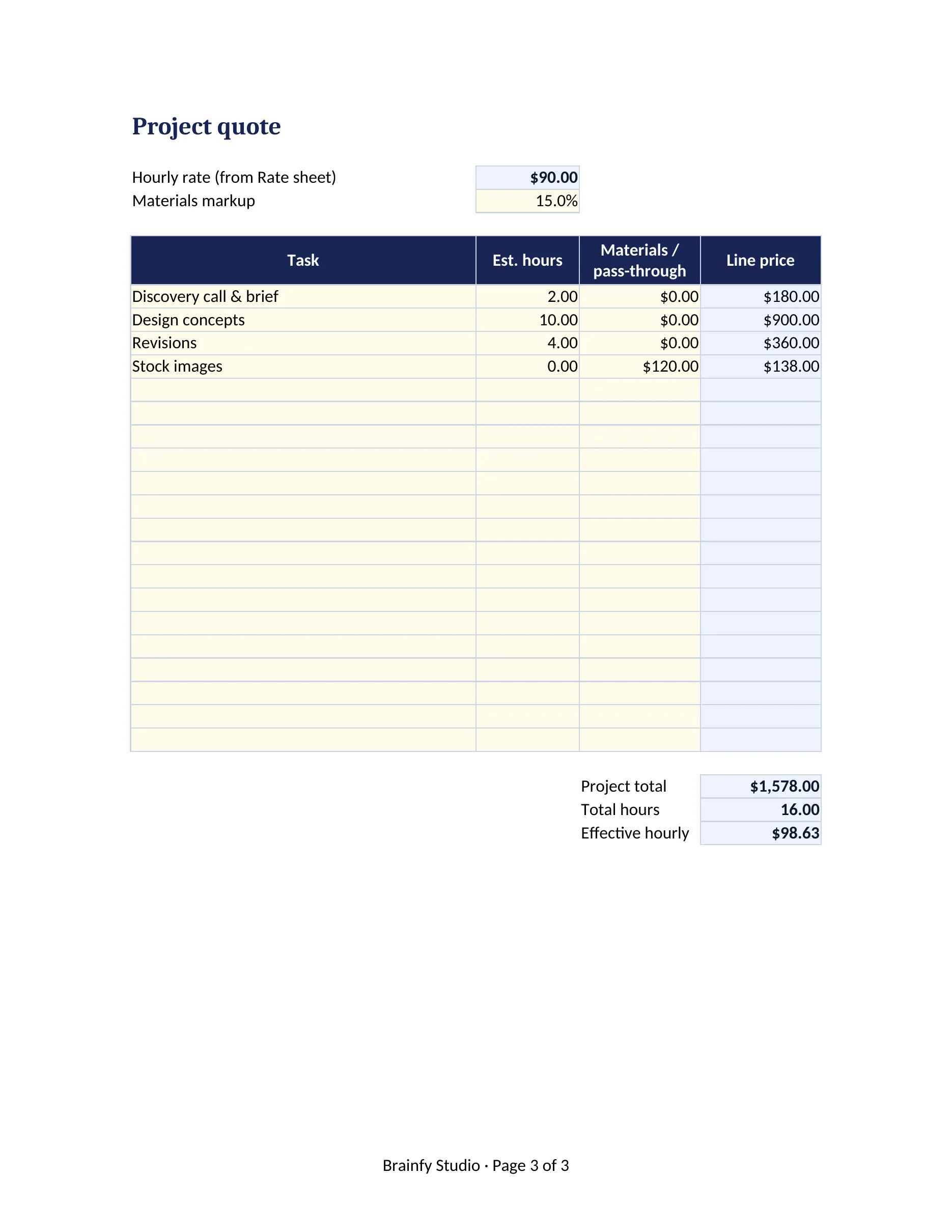
We’ll prepare one example listing live: a small-business pricing worksheet. The example is Brainfy Studio’s own Service Pricing Calculator, an XLSX file with a short instruction sheet (Start Here, Rate, Project Quote).
Creator checklist
Prepare these before you list. The pricing worksheet is the example for each one.
- Rights and licensing checkYou built the worksheet yourself, and every font and icon in it allows commercial use.
- Supported file typesXLSX for the worksheet, PDF for the instruction sheet.
- Readable file namingService-Pricing-Calculator.xlsx, not final_v3(2).xlsx.
- Buyer instruction sheetA short Start Here sheet: which cells to change and which calculate.
- Listing title and descriptionWho it’s for, what’s inside and what the buyer receives.
- Preview imagesReal pages from the file, clearly labelled.
- File compatibilitySay which apps you opened and checked it in, and only those.
- Pricing worksheetYour time, costs and margin, so the price is one you can explain.
Reserve your free spot
Saturday, February 27, 2027, 10 a.m. British Columbia Pacific Time. Free and live online, 60 minutes.
Questions
How much does it cost?
Creator Day is free.
How do I join?
Register and we’ll email the link and a calendar invite.
What should I bring?
Bring one original digital product or a draft. Have your product files and one sample image ready if you want to follow along.
Can I join if I haven’t sold before?
Yes. The workshop is designed for creators preparing their first or next listing.
Can I list my product during the event?
Yes. Seller applications are open. Create your seller account on the Sell page. Opening an account doesn’t guarantee approval, and selling and payouts aren’t open yet.
Will there be a replay?
We plan to email the replay and the checklist to registrants after the event.
Ready to list your first product?
Seller applications are open. The seller agreement is an owner-approved pilot draft, not counsel-reviewed. Opening an account doesn't guarantee approval, and we can't promise traffic, sales or income.