Estimating, change orders and job records for contractors
By the Brainfy Studio editorial team · Updated
Most small contractors don't need more software. They need the same five things on every job: a price they can explain, changes agreed in writing, a daily record, a check on what the job really made, and an invoice that includes the approved changes.
This page walks through those steps with one fictional job — replacing a set of deck stairs and railing — and points to the free calculator, guide, sample page or file for each step. Every figure in the example is recalculated by our tests with the same code the online calculators use.
1. Price the job line by line
Break the job into lines with a quantity, a material cost per unit and labour hours per unit. Add tax on materials if it applies to you, then overhead and contingency, then profit. The profit percentage below is a markup on cost, so it is not the same number as your margin on the final price.
- Measure quantities and write down where each came from.
- Use your own supplier prices and production rates.
- Apply overhead, contingency and profit the same way on every job, so estimates are comparable.
Three lines, priced with the Construction Estimate Calculator's method:
| Line | Quantity | Materials | Labour |
|---|---|---|---|
| Remove and dispose of old stairs | 1 lot | $85.00 | 6 h → $390.00 |
| New stair set (stringers, treads, risers) | 1 set | $640.00 | 10 h → $650.00 |
| Railing | 18 lin ft | $396.00 | 9 h → $585.00 |
| Direct cost (materials $1,121.00 + 6% tax $67.26 + labour $1,625.00) | $2,813.26 | ||
| Overhead 10% + contingency 5% | $281.33 + $140.66 | ||
| Profit (12% markup) | $388.23 | ||
| Estimate total | $3,623.48 |
The profit line is 10.71% of the price; overhead and profit together are 18.48% of it. The markup vs margin guide explains why those differ from 12%.
Free online tool
Guide
Files
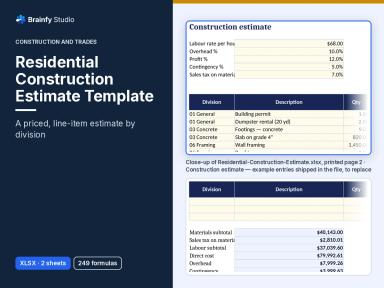
- Residential Construction Estimate Template (Paid — $39.00)
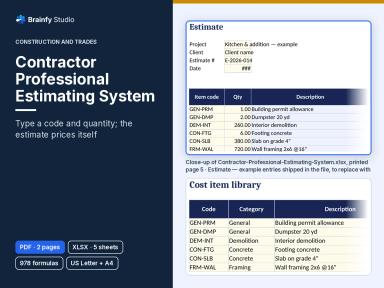
- Contractor Professional Estimating System (Paid — $149.00)
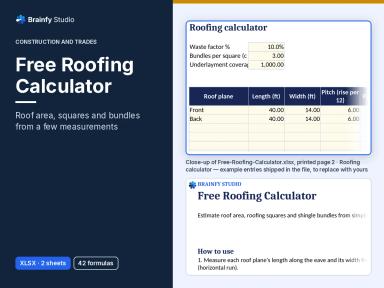
- Free Roofing Calculator (Free — sign in to download)
See inside: Residential Construction Estimate Template v1.0.4
Renders of pages from the current files (XLSX). Select a thumbnail to enlarge it.
Use the left and right arrow keys to move between preview images.
Residential Construction Estimate Template: details and price
2. Agree changes in writing before the work
Halfway through the stair job, the client asks for a matching gate at the top of the stairs. Price it, get it approved and number it before anyone builds it. In the example the gate is change order #1 for $480.00, which takes the contract from $3,623.48 to $4,103.48.
- Write the request: what changes, where, and why.
- Price it the same way as the original estimate and state any extra days.
- Get a signature, then add it to the change order log, including rejected ones.
Files
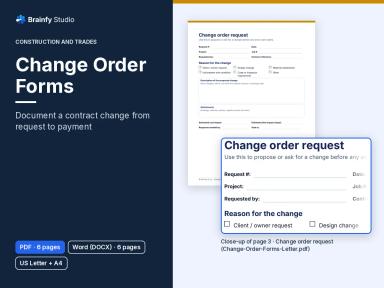
- Change Order Forms (Paid — $19.00)
Free sample: Change Order Forms v1.0.3, page 3 of 6
Shows: The change order request: request details, reason for the change, description, attachments and estimated cost and time impact.
Not in the sample: The instructions page, the priced change order with contract sum and signatures, the change order log, the time-and-materials record and the editable DOCX files.
No account needed. The page is copied unchanged from the current file, with a “Sample” label and a faint watermark added. Free sample: print and use it for yourself, your household or your own business. Don't resell or redistribute the file; share the link instead. The full product is sold under the Standard Licence. See the full product.
3. Keep a short daily site record
A daily report takes five minutes at the end of the day and settles most later questions: who was on site, the weather, what was done, deliveries, visitors and delays. Write facts as they happen rather than reconstructing the week on Friday.
- Fill in the project details once.
- Complete the daily page before leaving site.
- Record delays with times and how you notified the client.
Files
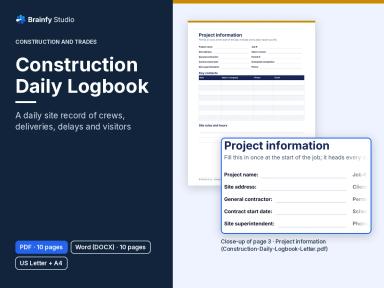
- Construction Daily Logbook (Paid — $19.00)
Free sample: Construction Daily Logbook v1.0.3, page 4 of 10
Shows: The first daily site report page: date, weather, site conditions, workforce on site and work completed.
Not in the sample: Project information, the second daily page (equipment, deliveries, visitors, delays), weekly summary, delay record, visitor, RFI and photo logs, and the editable DOCX files.
No account needed. The page is copied unchanged from the current file, with a “Sample” label and a faint watermark added. Free sample: print and use it for yourself, your household or your own business. Don't resell or redistribute the file; share the link instead. The full product is sold under the Standard Licence. See the full product.
4. Check what the job actually made
When the job is finished, put the real costs against the contract plus approved changes. In the example the job ran $291.74 over the estimate's direct cost but still made a 24.33% margin, because the gate was priced as a change instead of being absorbed.
Contract $3,623.48 plus change order $480.00, against the actual costs:
| Item | Amount |
|---|---|
| Revenue (contract + approved change) | $4,103.48 |
| Materials | $1,180.00 |
| Labour | $1,690.00 |
| Disposal | $95.00 |
| Gate hardware | $140.00 |
| Total cost | $3,105.00 |
| Profit | $998.48 |
| Margin on revenue | 24.33% |
| Cost vs estimated direct cost ($2,813.26) | $291.74 over |
Free online tool
Files
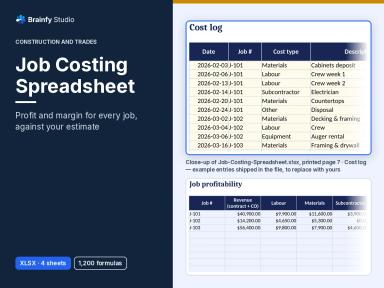
- Job Costing Spreadsheet (Paid — $39.00)
See inside: Job Costing Spreadsheet v1.0.4
Renders of pages from the current files (XLSX). Select a thumbnail to enlarge it.
Use the left and right arrow keys to move between preview images.
5. Invoice the job, including approved changes
Invoice the contract and each approved change order as separate lines, and show the deposit already paid. In the example a $1,500.00 deposit leaves a balance of $2,603.48 on a $4,103.48 invoice (tax left at 0% here; enter the rate that applies to you).
Free online tool
Files
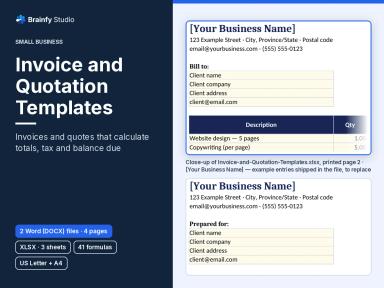
- Invoice and Quotation Templates (Paid — $19.00)
Files mentioned on this page
Facts below are checked against the files customers download. Prices are current catalogue prices in USD.
Residential Construction Estimate Template (Paid — $39.00)
XLSX · 1 file · sheets: Start Here, Estimate
A line-item estimate with material and labour unit costs, tax on materials, overhead, contingency and a profit markup — the same method as the example.
Contractor Professional Estimating System (Paid — $149.00)
PDF + XLSX · 3 files · sheets: Start Here, Company, Item Library, Estimate, Proposal
For contractors who estimate every week: a reusable cost item library, an estimate that pulls prices by code, a client proposal sheet and a 2-page PDF user guide.
Free Roofing Calculator (Free — sign in to download)
XLSX · 1 file · sheets: Start Here, Calculator
Free with an account. Roof area, squares, shingle bundles and underlayment only — not a full estimate.
Change Order Forms (Paid — $19.00)
DOCX + PDF · 4 files · US Letter and A4 · 6 pages per file
Change request, priced change order with contract sum and signatures, change order log and a time-and-materials record.
Construction Daily Logbook (Paid — $19.00)
DOCX + PDF · 4 files · US Letter and A4 · 10 pages per file
Two daily report pages plus weekly summary, delay record, visitor, RFI and photo logs.
Job Costing Spreadsheet (Paid — $39.00)
XLSX · 1 file · sheets: Start Here, Job Summary, Jobs, Costs
Log costs against each job and see profit, margin and variance from the estimate.
Invoice and Quotation Templates (Paid — $19.00)
DOCX + XLSX · 5 files · sheets: Start Here, Invoice, Quote
A workbook that calculates invoice and quote totals, plus Word invoice and quote templates in US Letter and A4 (the Word files don't calculate).
Limits and honest notes
- The rates in the example (labour $65/h, 6% tax on materials, 10% overhead, 5% contingency, 12% profit markup) are made up for illustration. Use your own costs, and check tax treatment with your tax authority or a qualified professional.
- The forms are organisational templates, not legal contract documents. Your contract decides how changes and delays must be notified.
- Spreadsheet formulas are checked in LibreOffice Calc; Microsoft Excel and Google Sheets were not tested. See the compatibility page for what we test.
Read what we test for each file format and the licence. All free samples are on the samples page.