Invoice vs Quote, Keep Proposed Prices and Bills Separate
By the Brainfy Studio editorial team · Published
A quote records a proposed price and scope. An invoice requests payment for the work or goods described on it. Keep the two records linked, but give them distinct identifiers and statuses. This makes it easier to see what is still proposed, what has been billed and what has actually been paid.
Free online tool: Invoice Generator
Create a clean invoice with line items, discount and tax, then print or save it as PDF from your browser. Nothing is stored on our servers. Runs in your browser; no account needed.
Open the invoice generatorUse a quote to describe the proposal
Include the customer reference, issue date, quote ID, scope, quantities, prices and assumptions. State any expiry or review date you choose to use. When scope changes, issue a numbered revision and identify which version is current. Keep earlier versions so you can explain how the proposal changed.
A quote is not proof that work was completed or that payment was received. Record the customer's response separately. The legal effect of a quote and its acceptance depends on the circumstances and applicable terms. This guide describes record organization, not a universal contract process.
Use an invoice to make the bill clear
Give the invoice its own ID, date, customer reference and line items. Link it to the relevant quote or order where useful. Include the payment instructions and terms that apply to the transaction. Check required invoice details for your location and business rather than assuming a generic template settles those requirements.
Separate subtotal, adjustments and any applicable taxes so the total can be followed. A payment due date and a payment received date are different fields. Keep partial payments visible. Sending an invoice does not mean the amount has been collected.
Avoid counting the same sale several times
Keep quoted value, invoiced value and money received as separate measures. If a project is quoted at $1,000 and then invoiced at $1,000, that is one proposed sale followed by one bill. It is not $2,000 of collected money. A deposit needs a clear reference so it is not billed or credited twice.
When correcting a record, preserve the original and use the correction process appropriate to your transaction and location. Do not silently edit a previously issued invoice and leave different copies circulating. Put a reason and date on revisions or adjustments.
Choose the file that fits your workflow
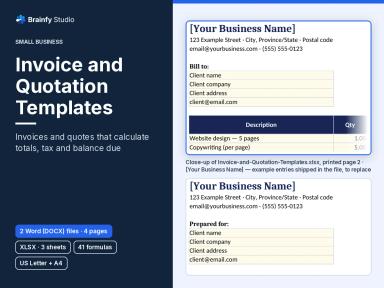
The paid Invoice and Quotation Templates product contains five files. There are A4 and US Letter DOCX versions of both the invoice and the quote, plus an XLSX workbook with Start Here, Invoice and Quote sheets. Check the product page for current price and delivery details.
For a quick online bill, the separate Invoice Generator is a free browser tool. Review its output and your transaction details before using it. The paid templates are downloads, not an automated collections service or a live accounting connection.
Worked example, a revised quote and one invoice
A fictional service has two line items. This arithmetic example excludes tax so it does not imply a rate or tax status.
| Record | Calculation | Amount |
|---|---|---|
| Quote Q-104 revision 1 | 4 hours × $75 + materials $80 | $380.00 |
| Approved additional scope | 1 hour × $75 | $75.00 |
| Invoice I-208 | 5 hours × $75 + materials $80 | $455.00 |
| Payment received | Recorded receipt | $200.00 |
| Balance remaining | $455 − $200 | $255.00 |
The billed amount is $455.00 and the recorded payment is $200.00. The old $380.00 quote is retained as a proposal history, not added to the invoice total. Add any applicable tax using the rules for your transaction.
Before you finish
- Give quotes and invoices distinct IDs.
- Identify the current quote revision.
- Match bill lines to the actual scope.
- Review local invoice and tax requirements.
- Reconcile payments against the invoice balance.
Brainfy files for this task
Checked against the files customers download. Prices are current catalogue prices.
Invoice and Quotation Templates (Paid — $19.00)
DOCX + XLSX · 5 files · sheets: Start Here, Invoice, Quote
A paid five-file download. It includes A4 and US Letter DOCX invoice and quote files, plus an XLSX workbook with Start Here, Invoice and Quote sheets. It does not include automated collections or an accounting integration.
Questions
Is a quote an invoice?
No. In this workflow the quote records a proposal and the invoice records the bill. Keep separate statuses and identifiers.
Are the downloadable invoice files free?
No. Invoice and Quotation Templates is a paid download. The separate online Invoice Generator is free to use in your browser.
Does the template determine my tax rate?
No. Check the requirements that apply to your location and transaction. The example here excludes tax only to show the arithmetic.
Sources and method
The workflow and fictional example are original Brainfy Studio editorial examples. File names, formats and sheet names were checked against the published-product snapshot dated 8 November 2026. The linked source is a related resource, not an endorsement of this product.
- Invoice Templates — Vertex42