A content calendar is a list of what you will post, where and when, decided before the week starts. Its real job is consistency: posting at a rhythm you can keep for months is worth more than a burst of daily posts that stops in week three. Plan from a few content pillars, pick a sustainable rhythm, and get several posts out of every longer piece you make.
On this page
Choose three or four content pillars
Pillars are the recurring themes your account is known for. For a small shop they might be: teach (tips that solve a customer problem), show (behind the scenes, process, the people), and sell (products, offers, launches). A creator might use teach, story and community.
Give each pillar a share of the month. Many small accounts keep selling to a minority of posts so the feed is still worth following when there is nothing new to buy, but the right mix depends on your audience; check your own results after a month or two and adjust.
Pick a rhythm you can keep
Count the hours you really have each week for writing, photographing, editing and replying to comments. Divide by how long one post takes you, and plan for a little less than that. Three good posts a week, every week, is a strong rhythm for a one-person business.
Batch the work: one session to plan the month, one to make the month's graphics, one each week to write captions and schedule. Switching between tasks every day is what makes posting feel endless.
Plan by week, then by day
Start the month by writing the posts for each week (pillar, platform, format and a one-line idea), then put them on days. Leave one slot a week open for something timely, such as a customer question, a seasonal moment or a product that is selling. Note dates that matter to your customers, like holidays, school terms or your own launch dates, before filling the rest.
- Pillar and goal: what is this post for?
- Platform and format: carousel, short video, pin, story, long video.
- Hook: the first line or first second.
- Call to action: save, reply, visit the shop, join the list.
- Status: idea, drafted, designed, scheduled, posted.
Repurpose one long piece into several short ones
A long piece of content, such as a video, a blog post, a newsletter or a detailed how-to, holds several smaller posts: a tip, a quote, a before and after, a checklist, a question for your audience. Planning repurposing up front means each long piece feeds the calendar for a week instead of one day.
Sponsored posts and disclosure
If a brand pays you, sends you free products or gives you a commission, say so clearly in the post itself, using the platform's paid partnership label where there is one. Advertising regulators publish guidance on this for creators, for example the FTC in the United States and the Competition Bureau in Canada. Keep the brief, the agreed deliverables and the invoice together so you can show what was agreed.
Review once a month
At the end of each month, note which posts led to the actions you wanted (saves, replies, shop visits, sign-ups), not just likes. Keep the pillars and formats that worked, drop one that did not, and plan the next month. Results vary by account and platform, so trust your own numbers over general advice.
Templates that follow this method
The Social Media Content System is a workbook (a worked example and a blank copy) with Setup, Ideas, Calendar, Pinterest and YouTube planners, a Repurpose tracker, a Results log and a Dashboard, plus a 6-page PDF guide with a weekly routine, a pillars worksheet, platform checklists and 30 post prompts.
Social Media Graphics Packs are 20 editable templates (announcement, quote, offer and tip layouts in 5 platform sizes) as SVG with live text and ready-to-post PNG, with a commercial licence. For brand work, the Creator Sponsorship Kit has a media kit, rate card, outreach templates, campaign brief, content calendar and invoice, plus a tracker for the brand pipeline, deliverables and payments.
Worked example: twelve posts from four long pieces
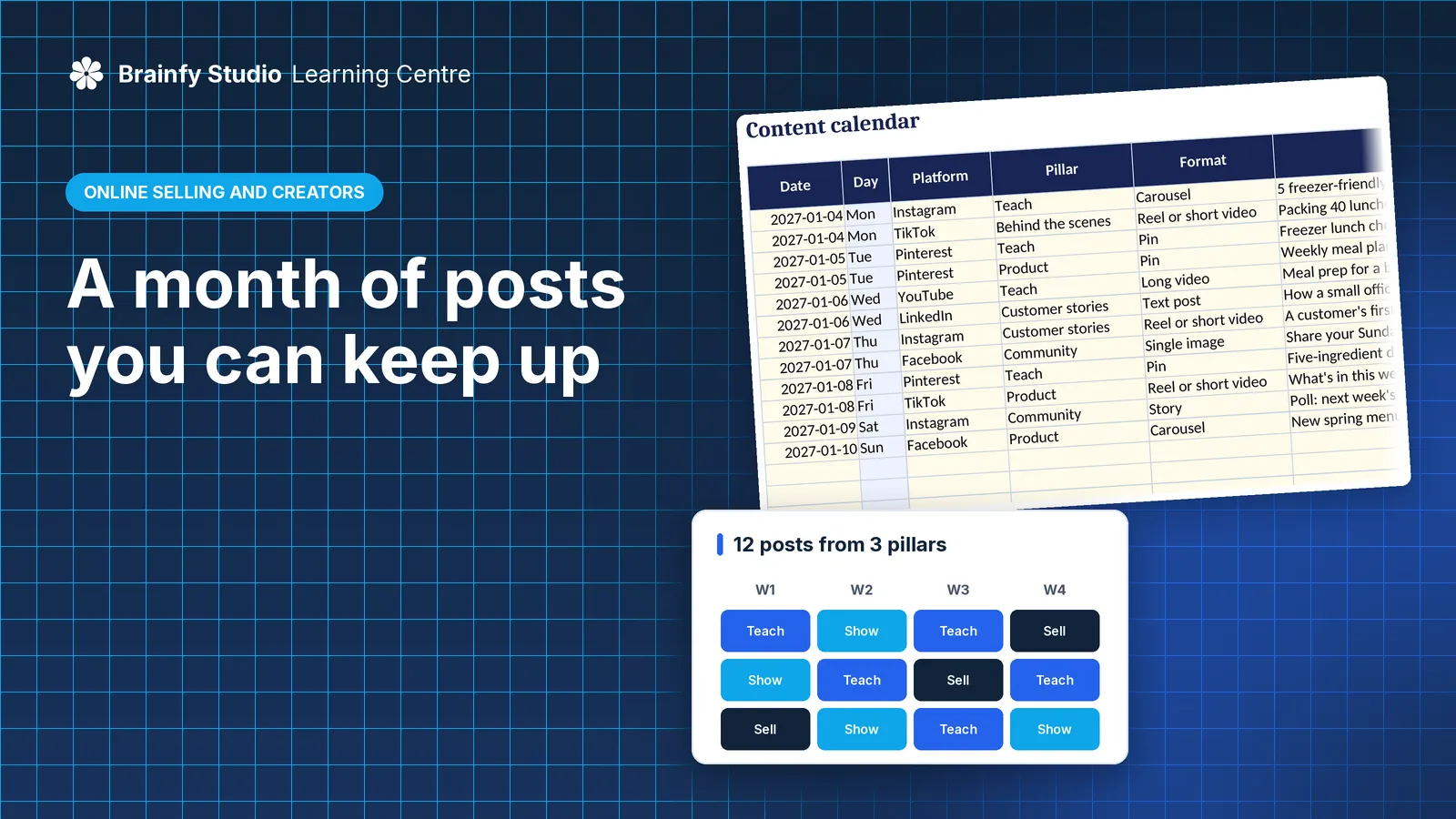
A fictional candle maker plans three posts a week for four weeks, 12 posts in all, across three pillars. Each week starts from one long piece (a how-to video, a studio tour, a customer question answered in a newsletter, and a product launch), repurposed into that week's three posts.
| Pillar | Share of posts | Posts this month | Example post |
|---|---|---|---|
| Teach | 5 of 12 | 5 | How to trim a wick for an even burn |
| Show | 4 of 12 | 4 | Pouring a batch, start to finish |
| Sell | 3 of 12 | 3 | New winter scent, link in profile |
| Total | 12 of 12 | 12 |
Four long pieces × three short posts each = 12 posts, so the month needs four pieces of filming or writing, not twelve. Selling is 3 of the 12 posts, a quarter of the feed.
Before you schedule the month
- Three or four pillars, each with a share of the month.
- A weekly rhythm that fits the hours you really have.
- Key dates for your customers and your own launches marked first.
- Every post has a pillar, platform, format, hook and call to action.
- One open slot a week for something timely.
- Sponsored posts are clearly labelled as advertising.
Questions
How many posts a week should I plan?
As many as you can make well every week for months. For a one-person business that is often two to four. Consistency matters more than volume.
Does a content calendar increase followers?
We can't promise growth; results depend on your audience, platform and content. A calendar makes posting consistent and lets you see which posts lead to the actions you want.
Which apps open the Social Media Content System?
It is an .xlsx workbook with a PDF guide. Check the product page for the apps it was tested in before you buy.
Can I use the graphics templates for clients?
The Social Media Graphics Packs come with a commercial licence for personal and commercial projects; the source files can't be redistributed. Read the licence on the product page for the full terms.
Sources and method
Product facts were read from each product's live page on 16 November 2026. The post counts in the example are added up by an automated test.