Brainfy Studio Academy · Live workshop
Build a Job Quote in Excel
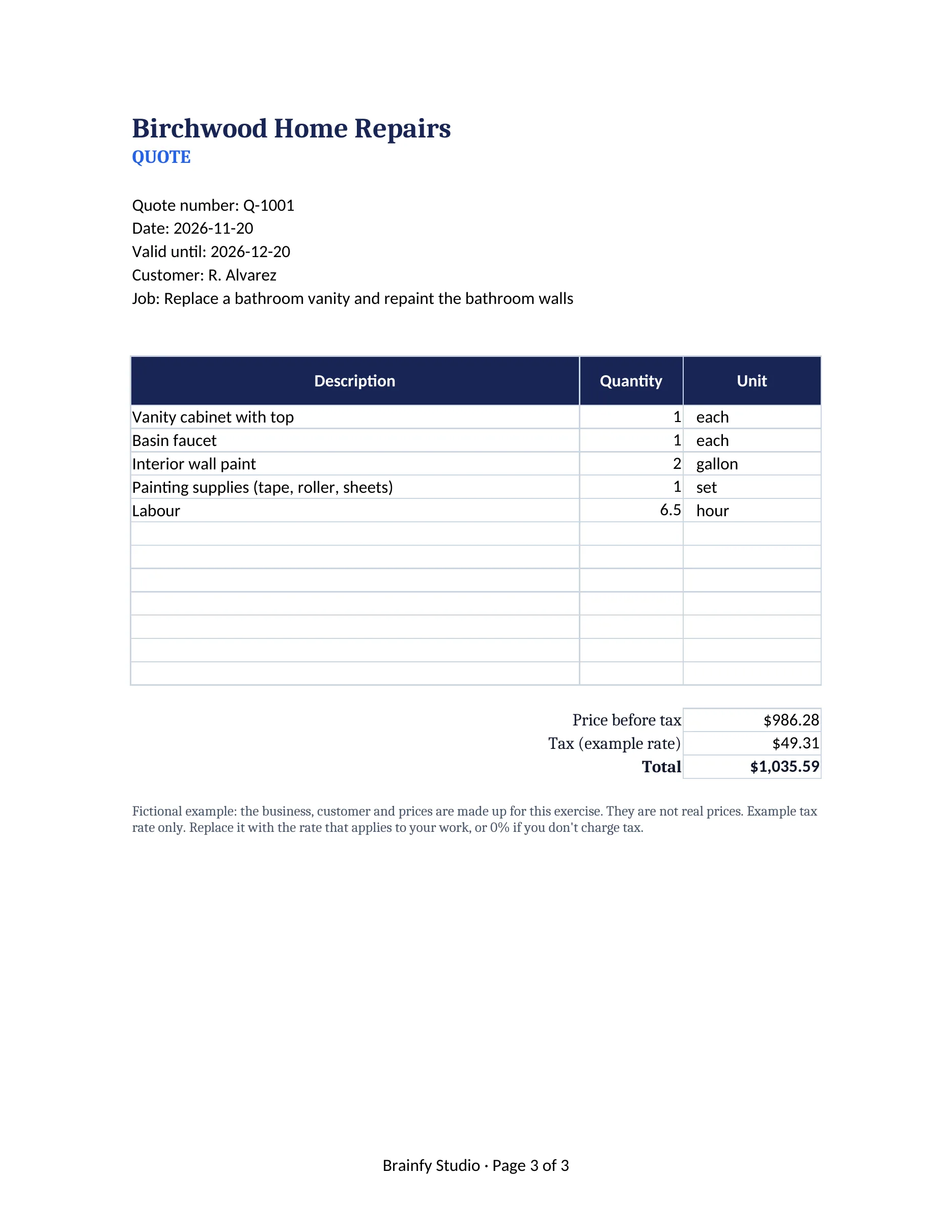
A reusable job quote workbook: line items, quantities and unit costs, a defined markup you can check, and a printable quote saved as a PDF.
Coming soonFormat: Live workshop
We’re recruiting the instructor and testing the workbook. There is no date yet and nothing to buy. Try the free exercise now, and sign up below to hear when registration opens.
At a glance
- Result
- A reusable job quote workbook: line items, quantities and unit costs, a defined markup you can check, and a printable quote saved as a PDF.
- Who it’s for
- Solo service businesses · Small contractors · Adult beginners who need to prepare a job quote
- App
- Workbooks tested in LibreOffice Calc 24.2.7.2. Excel for Microsoft 365 testing pending.
- Difficulty
- Beginner. No formulas needed beforehand: you should be able to open a spreadsheet and type into a cell.
- Duration
- 75 minutes: 60 minutes of teaching and 15 minutes of questions and answers
- Instructor
- To be announced. We’ll name the instructor and their background here once they’re confirmed.
- Date and time
- To be announced, with the time zone shown here once a date is set.
- Price
- Proposed price: US$29, one time. Not on sale yet; subject to the pilot review.
Agenda: five steps
- Set up the quote. Business, customer, job, quote number, date and how long the quote is valid.
- Enter quantities and unit costs. One row per item, with the unit you price it in.
- Calculate line totals. Quantity × unit cost, rounded to the cent, then a subtotal.
- Apply a defined markup and check the result. Markup on cost, the price before tax, and a check that markup and margin aren’t mixed up.
- Preview the printable quote and export a PDF. Fit the quote to one page and save the PDF you send the customer.
Included files
- Starter workbook (XLSX) with the fictional example’s items already typed in
- Completed solution workbook (XLSX) with every formula
- A printable quote sheet in both workbooks, set to print on one US Letter page
- An independent practice case with expected results (on the free exercise page)
Planned certificate design
Earn a certificate for the work you complete.
Finish the required lessons and practical assignment in an eligible course. Download your certificate and share a verification link.
Sample. Not an issued credential.
Sample. Not an issued credential.
 Brainfy Studio Academy
Certificate of Completion
This certifies that
Sample Learner
Build a Job Quote in Excel
Completed the required lessons and practical assignment.
- Calculate rounded line totals and a subtotal
- Apply a defined markup and tell it apart from margin
- Export a printable one-page quote as a PDF
Instructor (to be confirmed)
Academy representative
- Completion date:
- Date of completion
- Certificate ID:
- SAMPLE-0000
- Verify at:
- Verification address
QR code
(sample)
Issued by Brainfy AI Inc. Confirms course completion. Does not confer professional accreditation or a licence to practise.
Requirements for Build a Job Quote in Excel
Proposed — final rubric approved by the instructor
- Complete all 5 required lessons
- Score at least 80% on the short knowledge check (retries allowed, with feedback)
- Pass the practical task: build and export a job quote from a new set of items
The practical task checks:
- Line totals: quantity × unit cost on every item row
- Rounding: each line and the markup rounded to the cent, and the subtotal adds the rounded lines
- Markup: the defined markup applied on cost, giving the price before tax
- Markup and margin: the margin is worked out and explained as different from the markup
- Exported quote: a one-page printable quote saved as a PDF
Accessibility
- The free exercise is plain HTML: it works with a screen reader, keyboard and zoom.
- The live session is planned with captions; the replay will have captions, chapters and a transcript.
- The workbooks use labels and a written colour key, never colour alone.
Support
Questions about the workshop or the exercise: support@brainfystudio.com. A person replies.
Refunds
Nothing can be bought yet. When registration opens, refunds will follow our refund policy, and this page will state any workshop-specific terms (for example, before and after the live session) before anyone pays.
Hear when registration opens
Optional. You’ll join the Brainfy Studio email list, where we’ll announce the date, instructor and registration. You don’t need this to use the free exercise.