Build a job quote: free practice exercise
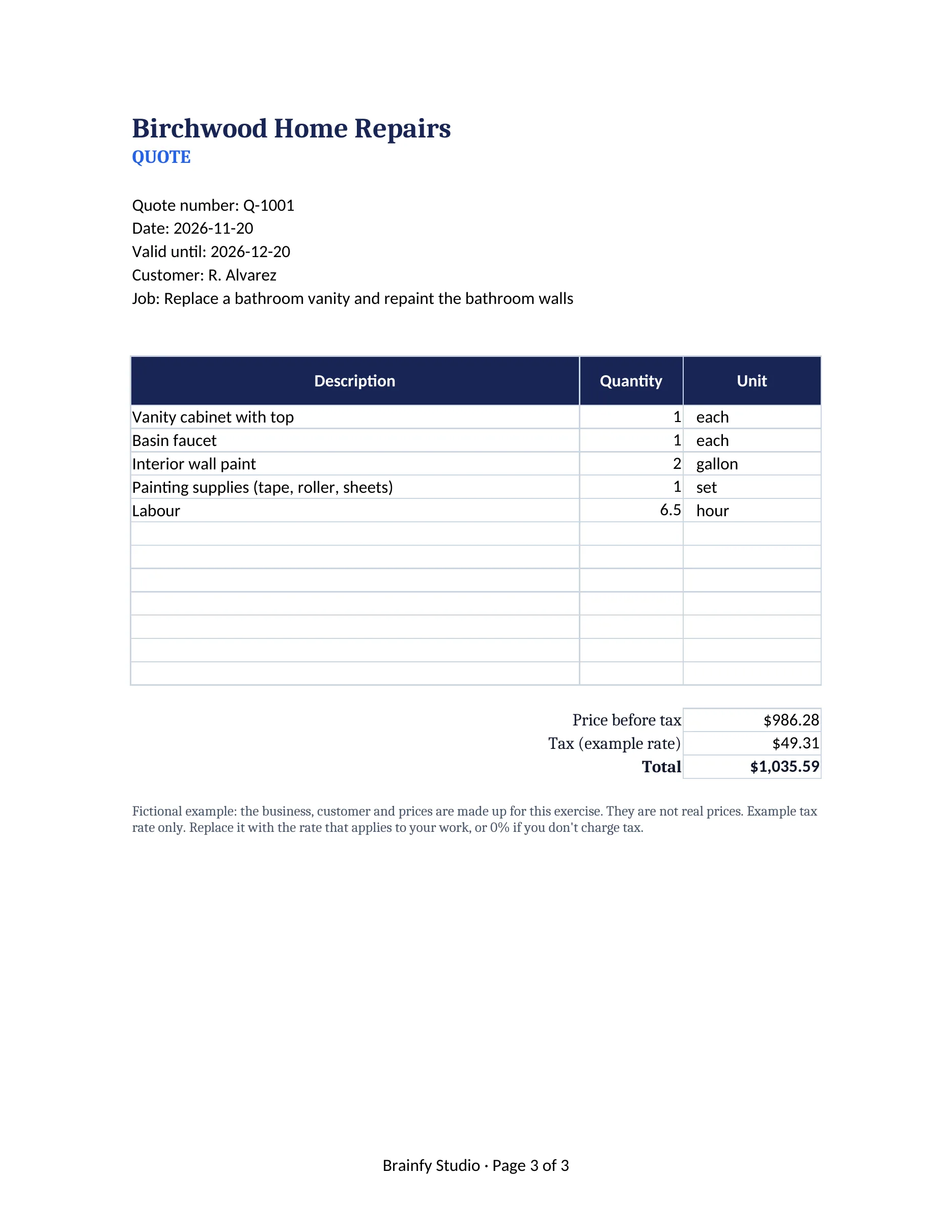
Birchwood Home Repairs is a fictional repair business. It has been asked to replace a bathroom vanity and repaint the bathroom walls for a customer, R. Alvarez. Your job: turn five items into a quote with line totals, a 20% markup you can check, an example tax line and a printable page.
The workbooks
A starter workbook (the items are typed in; you write the formulas) and a solution workbook (every formula in place). Both are free.
Download coming soon
The job
| Item | Quantity | Unit | Unit cost |
|---|---|---|---|
| Vanity cabinet with top | 1 | each | $289.00 |
| Basin faucet | 1 | each | $74.50 |
| Interior wall paint | 2 | gallon | $38.75 |
| Painting supplies (tape, roller, sheets) | 1 | set | $23.40 |
| Labour | 6.5 | hour | $55.00 |
Markup: 20% on cost. Example tax rate: 5%. This rate is only an example for practice: in your own quotes, use the rate that applies to your work, or 0% if you don’t charge tax.
Start from a blank spreadsheet
No download needed. Open a new, empty spreadsheet, name the tab Quote, and type each entry into the cell shown. Type numbers without the $ sign; leave every other cell empty.
| Row | Cell: what to type |
|---|---|
| 4 |
|
| 5 |
|
| 6 |
|
| 7 |
|
| 8 |
|
| 9 |
|
| 11 |
|
| 12 |
|
| 13 |
|
| 14 |
|
| 15 |
|
| 16 |
|
| 12 to 23 |
|
| 25 |
|
| 26 |
|
| 27 |
|
| 28 |
|
| 29 |
|
| 30 |
|
| 31 |
|
| 33 |
|
| 34 |
|
Five steps
- Set up the quote. Open the starter workbook’s Quote tab, or set up a blank spreadsheet as shown in “Start from a blank spreadsheet” below. Rows 4 to 9 hold the business, customer, job, quote number, date and the number of days the quote is valid.
- Enter quantities and unit costs. The five items go in rows 12 to 16 (the starter has them typed in for you). Leave rows 17 to 23 empty, for extra items in your own quotes.
- Calculate line totals. In F12 type =ROUND(C12*E12,2) and copy it down to F23. In F25, the subtotal: =ROUND(SUM(F12:F23),2).
- Apply the markup and check it. F27 =ROUND(F25*F26,2) is the markup amount; F28 =F25+F27 is the price before tax. F30 =ROUND(F28*F29,2) is the example tax and F31 =F28+F30 the quote total. Then check: F33 =F27/F25 should show 20.0%.
- Preview the printable quote and export a PDF. In the starter, open the Printable Quote tab: it is set to print on one US Letter page. In a blank spreadsheet, set the print area to A1:F31 and choose “fit to one page”. Use print preview, then export or print it to PDF.
Markup and margin are not the same
Markup is added on your cost. On a $100.00 cost, a 20% markup adds $20.00, so the price before tax is $120.00.
Margin is the same $20.00 as a share of the price: $20.00 ÷ $120.00 = 16.7%.
Your turn: an independent practice case
Northlight Window Cleaning (fictional) has been asked to clean the windows of a two-storey house, inside and out for D. Chen. Build this quote yourself in a copy of the starter: replace the items, set the markup to 25% and the example tax rate to 0% (this example business doesn’t charge tax).
| Item | Quantity | Unit | Unit cost |
|---|---|---|---|
| Exterior window cleaning | 18 | window | $6.50 |
| Interior window cleaning | 12 | window | $4.75 |
| Screen washing | 10 | screen | $2.25 |
| Travel charge | 1 | trip | $15.00 |
Check your answers
Rounding rules
- Round each line total to the nearest cent.
- Add the rounded line totals for the subtotal.
- Markup amount = subtotal × markup %, rounded to the nearest cent. Half a cent rounds up.
- Price before tax = subtotal + markup amount.
- Tax = price before tax × the example tax rate, rounded to the nearest cent.
- Quote total = price before tax + tax.
- Margin % = markup amount ÷ price before tax, to one decimal place.
- Type money without the $ sign if you like; commas are fine. Money must match to the cent.
Want to learn it live?
The planned 75-minute workshop teaches these five steps with an instructor. It’s coming soon: no date or instructor yet.
View the workshop