Wedding Guest List, Track Invitations, Replies and Seats
By the Brainfy Studio editorial team · Published
Decide whether a row represents a person or a household before entering a wedding guest list. For seating and meal counts, one row per person is usually easier to reconcile. Use a household ID to connect people who share an invitation. Keep invitations sent, replies received and confirmed seats as separate counts.
Free online tool: Wedding Budget Calculator
Track wedding costs from estimate to final payment, including deposits and what's still owed. Runs in your browser; no account needed.
Open the wedding budget calculatorKeep people and invitations distinct
A household invitation can cover several people, but it is still one invitation. Give each guest a name or temporary label and a household reference. Record a named companion separately when confirmed. Avoid leaving a plus one as both a placeholder row and a newly added person, which doubles the seat count.
Choose a clear rule for whether children, vendors or other attendees belong in the same planning count. The right scope depends on what you are arranging. Label the total so a stationery count is not accidentally used as a catering count.
Use explicit reply statuses
Separate not sent, awaiting reply, attending and declined. A blank reply is unknown, not a decline. Record when the response arrived and who updated it. If several people help manage replies, use one controlled working copy and agree how changes are recorded.
Put your chosen reply date and a follow-up action beside outstanding households. Keep the follow-up list separate from the final attendance list. An invitation being delivered does not establish how many seats have been confirmed.
Share only the details each supplier needs
The person arranging seating may need names and table assignments. A supplier preparing place settings may need only confirmed names and quantities. Keep contact details out of a supplier copy when they are unnecessary. Do not publish the full list as an open link simply because several people need different parts.
If you collect meal preferences or access arrangements, record only what is needed for the event and control who can see it. Use the guest's own wording when passing on a practical request. Confirm important arrangements with the relevant person rather than assuming the spreadsheet alone completes them.
Reconcile counts before sending a final number
Check that attending plus declined plus outstanding equals the invited people in the current scope. Then compare confirmed attendees with assigned seats. An unassigned guest is a seating task, not another person to add. Put the date and scope on each shared total so an old export is recognizable.
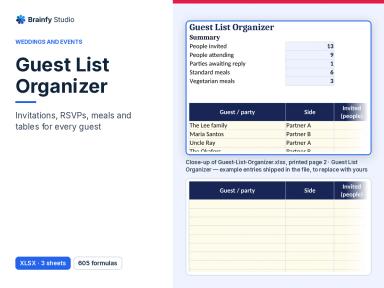
The paid Guest List Organizer is an XLSX file with Start Here, Guests and Lists sheets. It is separate from the Wedding Budget Spreadsheet. This guide is free to read. The download does not send invitations, collect replies automatically or manage a public event registration page.
Worked example, reconcile people and seats
A fictional couple invited 48 people across 24 households. They review the replies before assigning the remaining seats.
| Measure | People | Meaning |
|---|---|---|
| Attending | 34 | Confirmed attendance |
| Declined | 8 | Confirmed nonattendance |
| Awaiting reply | 6 | Unknown attendance |
| Total invited | 48 | 34 + 8 + 6 |
| Seats already assigned | 30 | Within the 34 attending |
| Attending, unassigned | 4 | 34 − 30 |
There are 24 household invitations but 48 invited people. Four confirmed guests still need seats. The six outstanding replies stay separate until the couple records a response. Do not add them to confirmed attendance merely to fill a table.
Before you finish
- Choose person rows and household references.
- Remove duplicate companion placeholders.
- Keep unknown replies distinct from declines.
- Reconcile confirmed attendees and seats.
- Date supplier copies and limit shared details.
Brainfy files for this task
Checked against the files customers download. Prices are current catalogue prices.
Guest List Organizer (Paid — $12.00)
XLSX · 1 file · sheets: Start Here, Guests, Lists
A paid XLSX download with Start Here, Guests and Lists sheets. It is a guest record. Invitation sending, automatic reply collection and a hosted event website are not included.
Questions
Should I count invitations or people?
Track both. A household can receive one invitation while accounting for several seats. Label each count so it is used for the correct task.
Does an unanswered invitation count as a decline?
No. Keep it awaiting reply until you record the response or make a separate planning decision.
Is the guest list workbook free?
No. The Guest List Organizer is a paid XLSX download. The guide and example are free to read, and the separate online Wedding Budget Calculator is free.
Sources and method
The workflow and fictional example are original Brainfy Studio editorial examples. File names, formats and sheet names were checked against the published-product snapshot dated 8 November 2026. The linked source is a related resource, not an endorsement of this product.
- Guest List Template — 101 Planners