An estimate tells you what a job should cost. A construction budget template tracks what it is actually costing as the work happens: each trade's estimate, the confirmed cost, what has been paid and what is still owed. Kept up to date, it shows an overrun while there is still time to use the contingency or adjust scope, instead of at the final invoice.
On this page
Free online tool: Job Costing Calculator
Enter a job's contract value, change orders and costs by type to see gross profit, margin and variance from estimate. Runs in your browser; no account needed.
Open the job costing calculatorEstimate, actual and paid are three different numbers
The estimate is your plan for a trade. The actual (or committed) cost is what you have agreed to pay once a quote is accepted or work is invoiced. Paid is what has left your account. A line can be on budget but have a large balance still owed, or fully paid but over its estimate. Tracking all three per line shows both problems.
Until an actual cost is confirmed, use the estimate as the projected cost for that line, so the projected total always covers the whole job.
Organise by trade or cost code
List each trade or cost code (site work, concrete, framing, roofing, electrical, plumbing and so on) with a short scope description and the vendor. The same codes should appear on quotes, invoices and change orders, so every cost has an obvious home.
Keep a contingency line
Put the contingency on its own line instead of hiding it inside trade estimates. When a trade runs over, move money from the contingency deliberately and note why. You can then see at any time how much of the contingency is left.
Review before each payment
Before paying an invoice, check the line's paid-to-date against its actual cost, and check the projected total against the budget. Record due dates for balances so you know how much cash each month needs. Changes to scope should go through a priced change order before they are added to a line.
Worked example: four trades against a $115,000 allocation
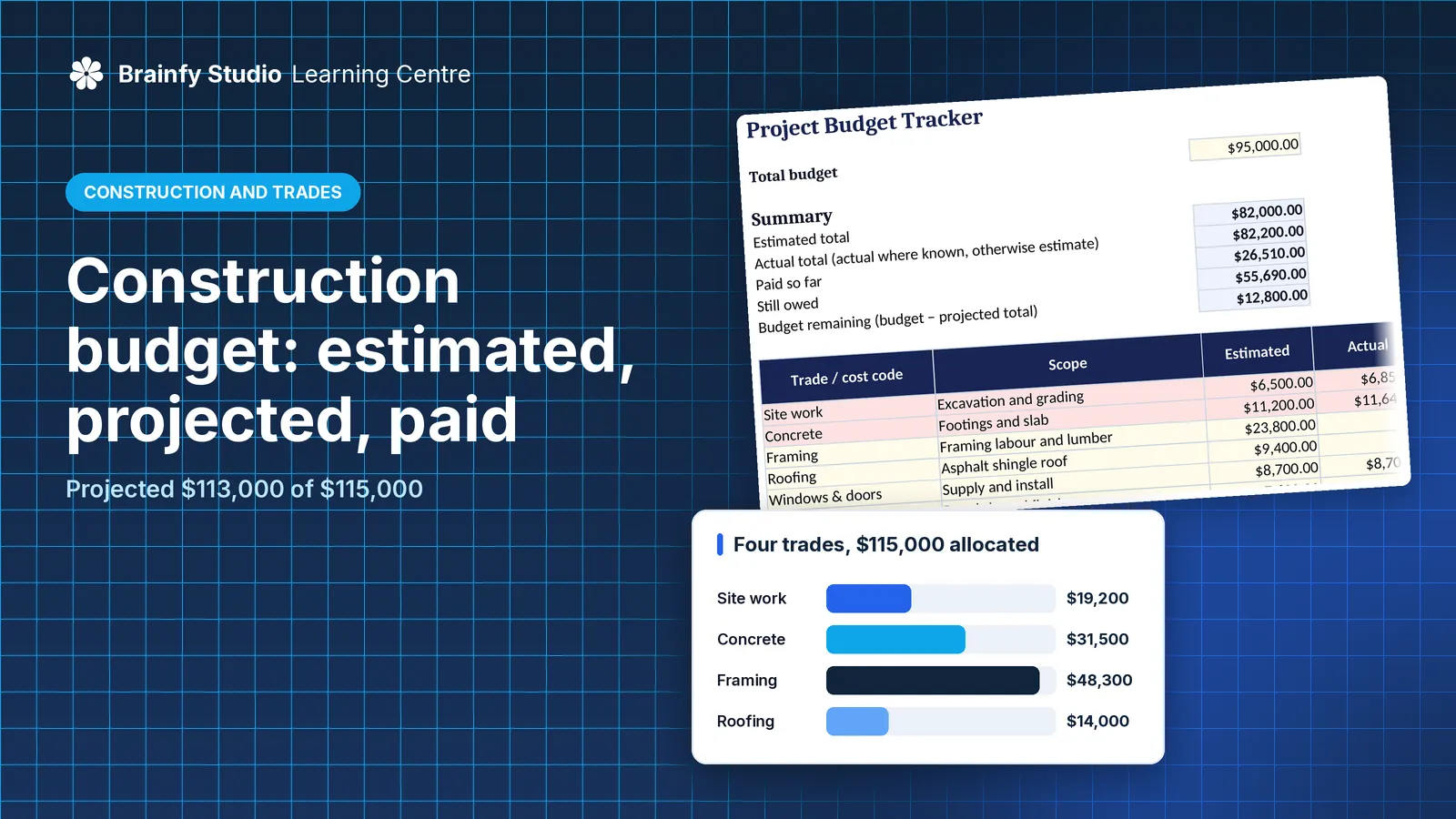
A fictional project has allocated $115,000 to four trades. Roofing has a quote but no confirmed cost yet, so its estimate is used as the projected cost.
| Trade | Estimated | Projected | Paid so far | Still owed |
|---|---|---|---|---|
| Site work | $18,000.00 | $19,200.00 | $19,200.00 | $0.00 |
| Concrete | $32,000.00 | $31,500.00 | $20,000.00 | $11,500.00 |
| Framing | $46,000.00 | $48,300.00 | $30,000.00 | $18,300.00 |
| Roofing | $14,000.00 | $14,000.00 | $0.00 | $14,000.00 |
| Total | $110,000.00 | $113,000.00 | $69,200.00 | $43,800.00 |
The projected total ($113,000) is $3,000 over the estimates, mostly from framing, but still $2,000 under the $115,000 allocation. $43,800 is still owed; the due dates on those balances show when the cash is needed.
Weekly budget check
- Every accepted quote or invoice is entered as an actual cost.
- Lines without a confirmed cost use the estimate as projected.
- Paid so far matches your payment records.
- Lines over estimate are flagged and explained.
- Contingency used is recorded with a reason.
- Balances due have dates.
Brainfy files for this task
Checked against the files customers download. Prices are current catalogue prices.
A paid XLSX file that tracks a project's budget by trade or cost code: estimated cost, actual cost once confirmed, paid so far, balance due with due date and an over-budget flag per line, plus a summary of the estimated and projected totals, what is still owed and the budget remaining, and totals by category.
For contractors tracking many jobs: profit, margin and variance against estimate per job rather than one project's budget by trade.
Questions
How is this different from an estimate template?
An estimate prices the job before it starts. A budget template tracks the job as it happens: what each trade really costs, what you have paid and what you still owe. See the construction estimate guide for pricing a job.
Should change orders go in the budget?
Yes, once they are priced and approved. Add the approved amount to the relevant line's actual cost and keep the signed change order as the record.
Which apps open the paid file?
It is an .xlsx file. Its formulas were recalculated in LibreOffice Calc and checked against expected values; Microsoft Excel, Google Sheets and Apple Numbers were not tested.
Sources and method
Written by the Brainfy Studio editorial team. The tracking method follows the columns in the paid Project Budget Tracker file, which we opened and read. The worked example is fictional; every total and difference in it is recalculated by an automated test.